SELECTED FOR PROPERTY DEVELOPERS
Present your real estate project as clearly as you envisioned it.
SelectSee transforms your properties, floor plans, prices, availability, 3D images and virtual tours into an interactive experience that helps every prospect understand, compare and choose.
A demonstration tailored to your project, with no obligation.
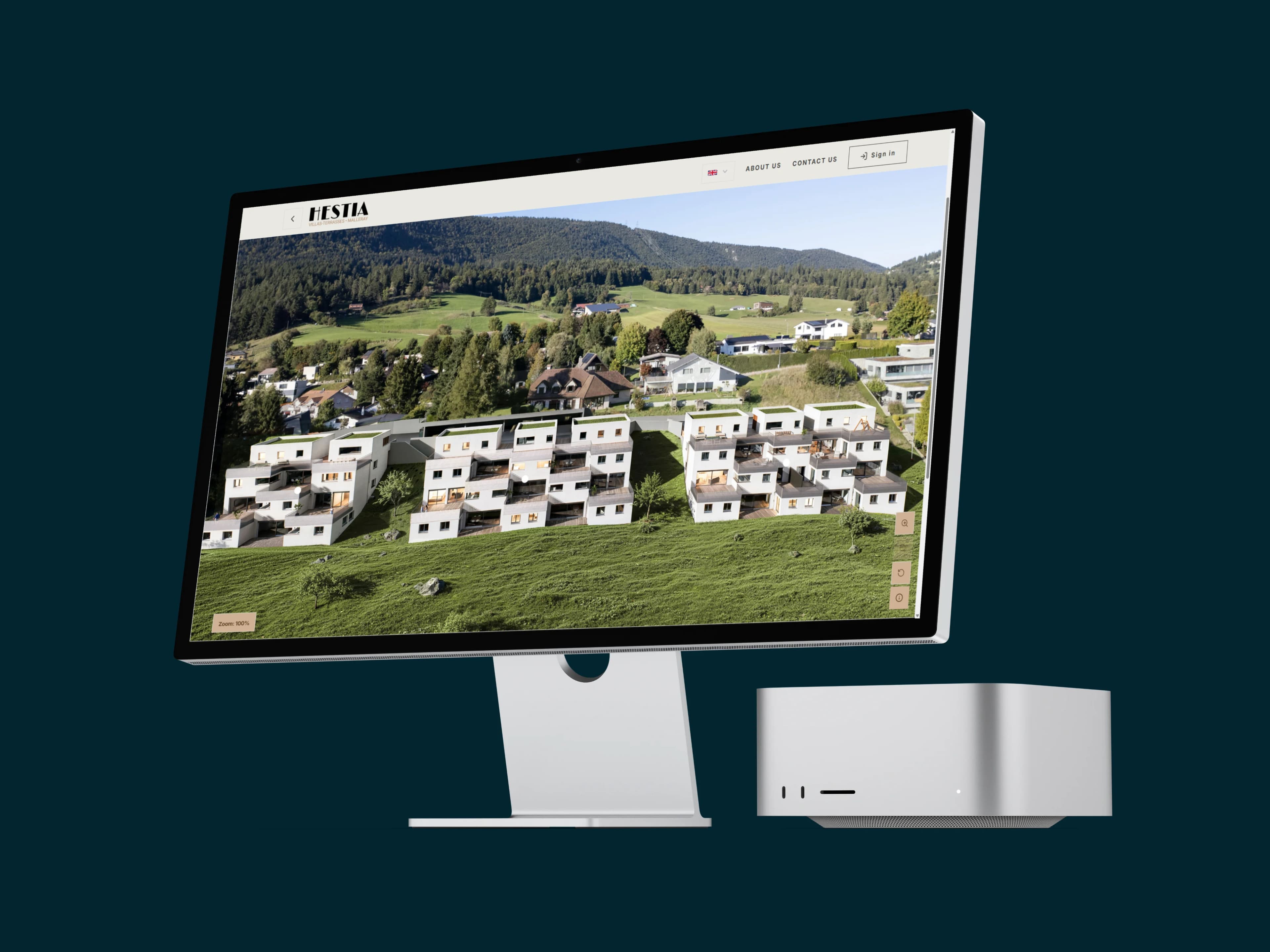
SelectSee is a Swiss real estate marketing platform and interactive housing selector designed for developers. It brings together, in a single link, the project site plan, buildings, floors, units, prices, availability, floor plans, visuals, and contact requests. SelectSee can be integrated into an existing website or become the core of a comprehensive real estate marketing website.
Your prospects shouldn't have to reconstruct your project.
A plan in a brochure, prices in a table, availability in another file and images on several pages: when information is scattered, the choice becomes more difficult and your team often answers the same questions.
An offer that's difficult to browse
Prospective buyers struggle to quickly identify properties that truly match their criteria.
Information that is evolving
A changed reservation, price, or plan can make several documents inconsistent.
Complicated comparisons
Without the right tool, surfaces, floors, orientations and prices remain difficult to compare.
Little visibility on the interest
A downloaded brochure does not reveal which lots, plans or typologies attract the most attention.
SelectSee brings this information together in a single journey, always clear and easy to update.
FROM THE FIRST GLANCE TO THE CONTACT REQUEST
One single link to understand, compare and choose
Each step helps the visitor to move forward naturally in their choice, without losing the context of the project or looking for information elsewhere.
Explore the project
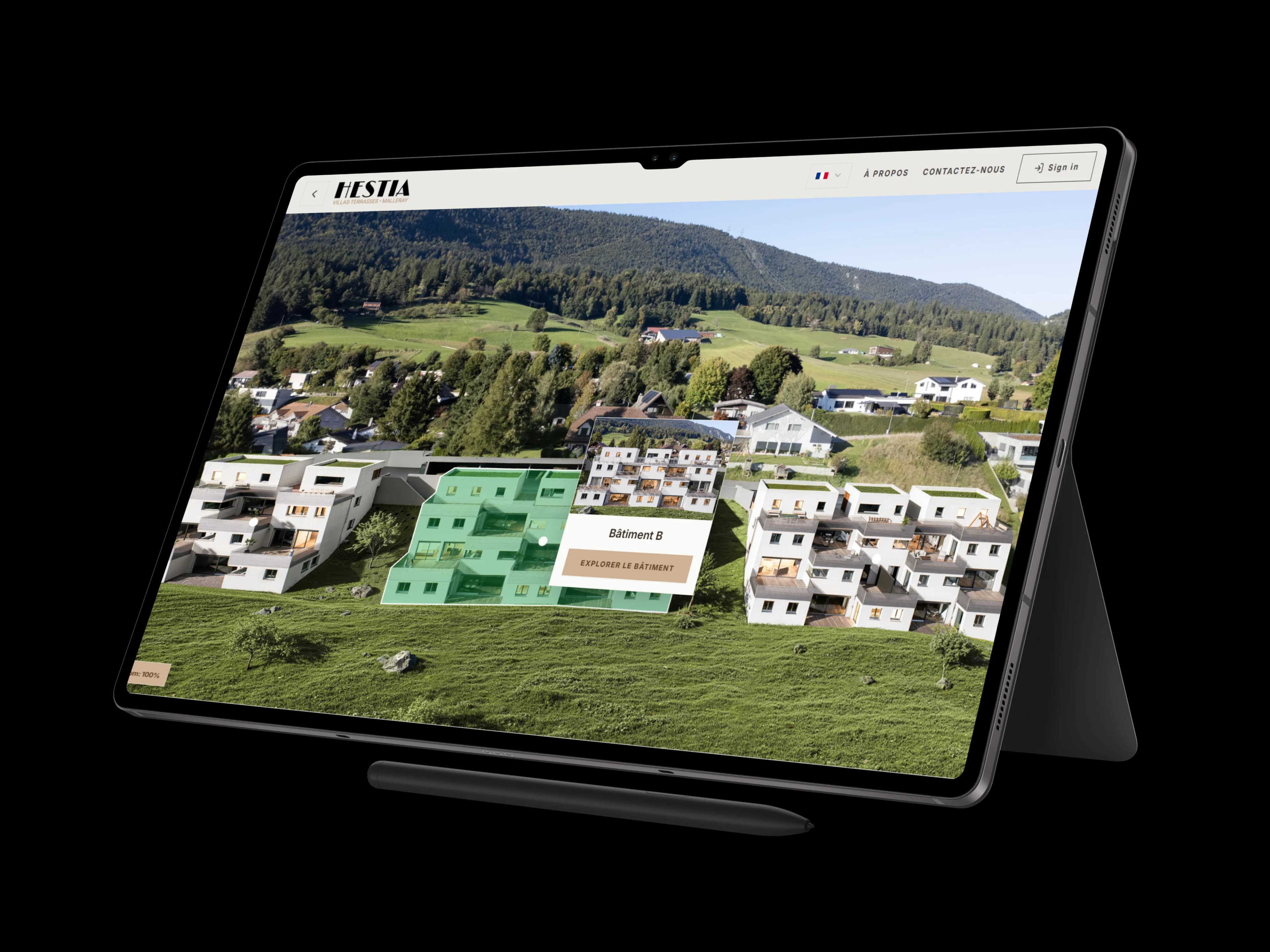
Visitors explore the interactive masterplan, the buildings, and available units through visual navigation.
Filter listings
He refines his search based on the number of rooms, price, floor area, floor level, or other criteria defined for the project.
Compare and save
He compares several lots, reviews the differences, and saves his favorites to easily access his selection later.
View all details
Each listing can bring together floor plans, 3D images, a virtual tour, video, documents, floor areas, prices, and useful information.
Request information
The prospect submits a contact request from the listing for the property that interests them, providing context that is immediately understandable to the sales team.
Your prospects understand better. Your sales team manages better.
SelectSee improves the presentation of the project for prospective buyers while simplifying the daily management of sales information.
For your prospects
- —A comprehensive and visual overview of the project.
- —Filters to find suitable accommodation.
- —Comprehensive fact sheets, accessible on mobile and computer.
- —A comparison tool and a favorites feature to make deciding easier.
- —Prices and availability that are easy to check.
For your sales team
- —A central space for prices, statuses, content, and documents.
- —Updates visible without having to redo multiple brochures or charts.
- —A consistent presentation on the website, during a meeting, or on a sales screen.
- —Statistics to understand the properties and content that generate interest
- —Contact requests related to the project or the property viewed.
Maximize the value of every lot
A small unit type or a less prominent listing in a brochure retains a complete fact sheet and the same level of presentation.
Keep information consistent
Prices, availability, floor plans, and content are managed from a central point and published within the same experience.
Make life easier for brokers
The team has a shared visual aid to present, compare, and explain the properties during sales interactions.
Adapt the platform to the project.
Villas, co-owned properties, rental apartments, one or more buildings: the structure follows the actual organization of the development project.
YOUR MARKETING TOOLS
Everything you need to present and update your project
SelectSee brings together essential features in a platform customized to the identity
and needs of your promotion.
Interactive site plan
Visually display buildings, floors, and units with easy-to-understand availability statuses.
Search filters
Help visitors refine the selection based on criteria relevant to your project.
Detailed fact sheets
Consolidate floor areas, prices, floor plans, visuals, documents, and information into a single sheet for each unit.
Comparison tool and favorites
Allow prospects to compare multiple properties and save their selection.
3D images and virtual tours
Incorporate media that allow you to visualize the space before construction or a visit.
Updated prices and availability
Modify the articles of association and business information from the management area.
Usage statistics
Identify the properties, floor plans, and features that attract the most attention, based on the privacy settings.
Content management
Update text, media, and documents from a single location, using access rights defined for the team.
Multiple languages
Present the project in the languages required for your market and your buyers.
Comprehensive promotional site
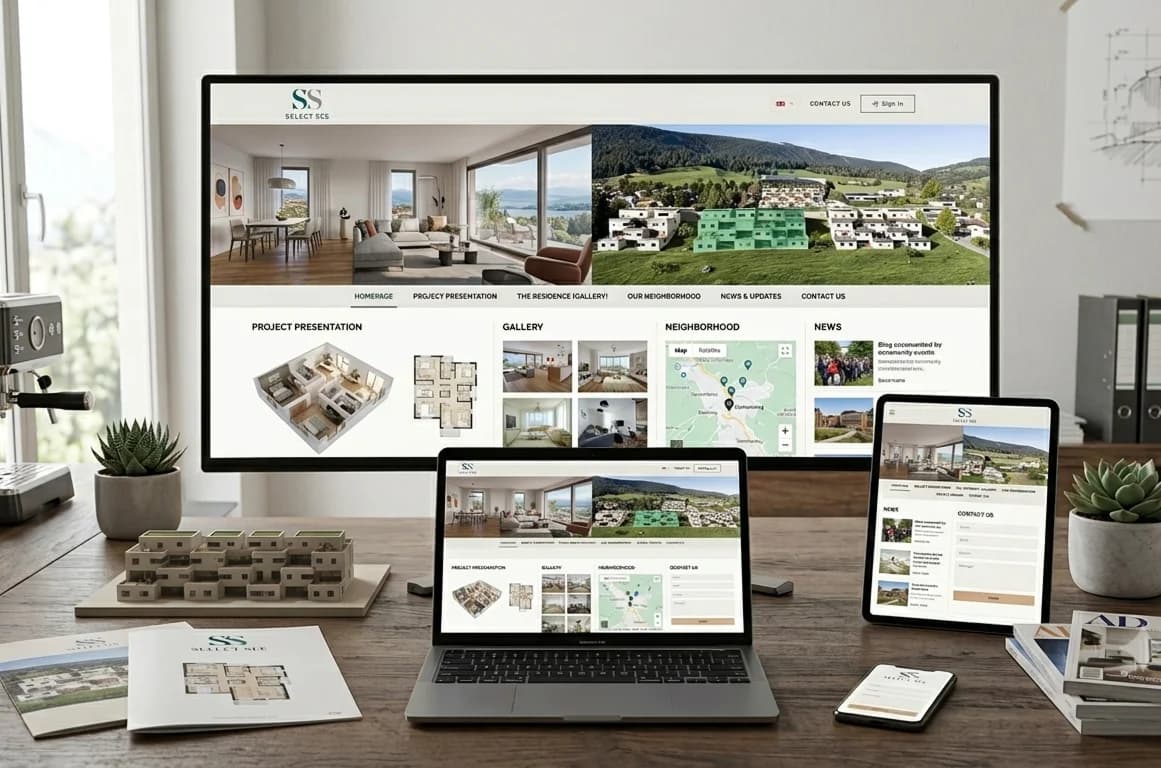
Add the project pages, gallery, neighborhood section, and forms when you do not yet have a dedicated website.
Data-driven decisions
See what really captures attention
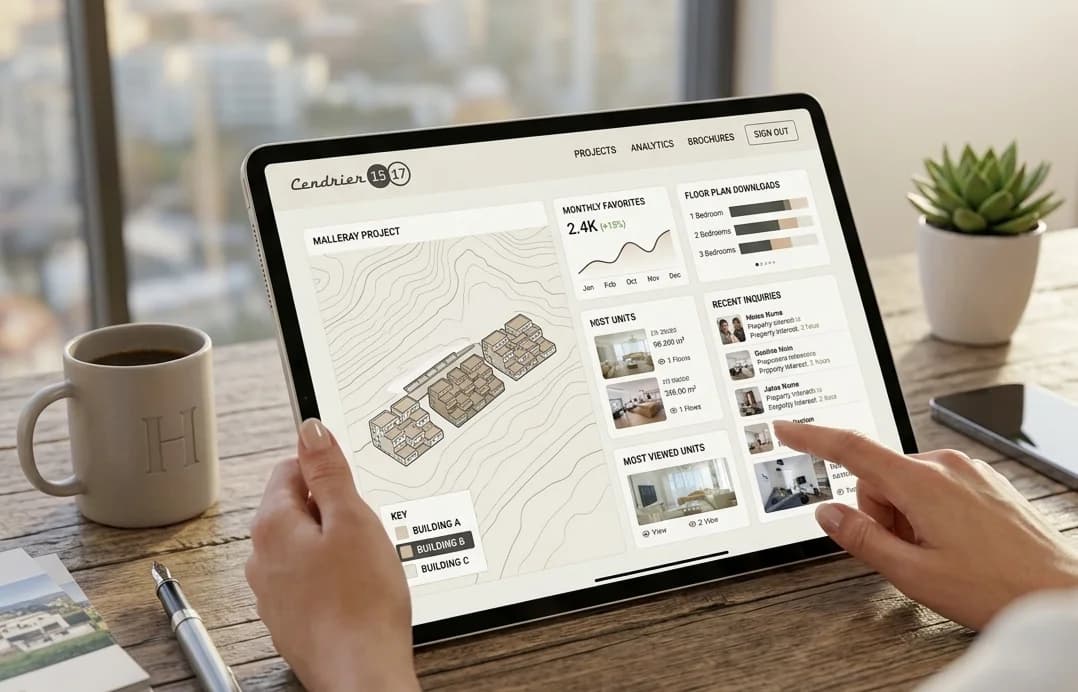
The SelectSee dashboard helps you understand how your project is viewed: most viewed properties, comparisons, favorites, downloaded plans and use of filters, depending on the project configuration and visitor privacy choices.
This information provides the sales team with concrete guidance to better prepare their interactions, identify the types of items that generate interest, and improve the presentation of less frequently viewed items.
Most viewed accommodations
Identify the batches and types that are attracting attention.
Comparisons and favorites
Understand which properties are most often selected by visitors.
Plans and documents downloaded
Identify the content that truly supports the thinking process.
Filters used
Observe the most frequently requested search criteria for the project.
Already have a website? SelectSee integrates with it. Don't have a website yet? It can become its heart.
Integration with your existing website
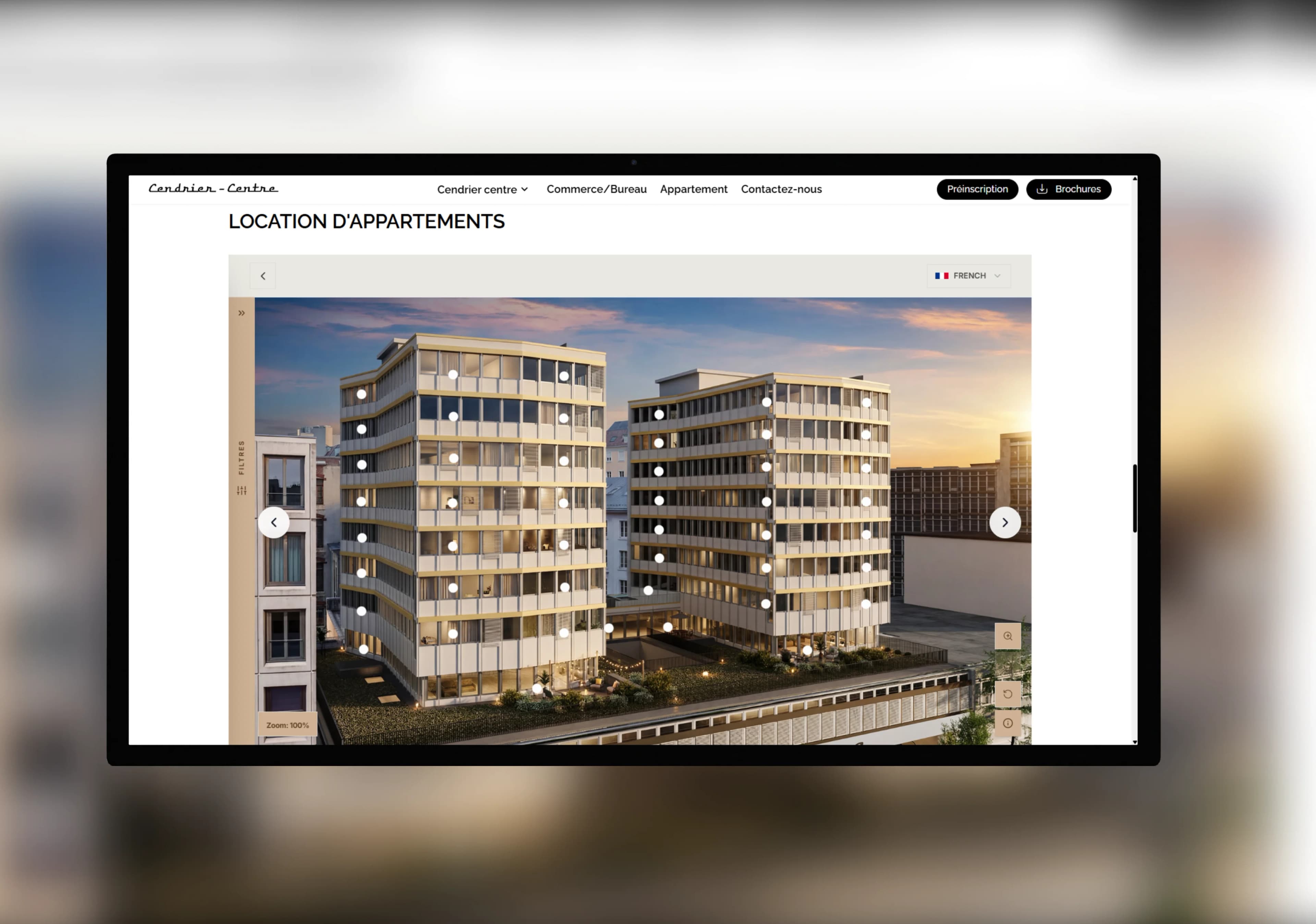
Add the selector to your promotional website so visitors can search and view units without leaving the project's environment.
Complete promotional website
Combine SelectSee with presentation pages, a gallery, the neighborhood, news, and a contact form under the project's domain name.
From your content to a ready-to-present experience
We analyze your project
You send us the plans, lot list, prices, availability, texts, images, and available documents.
We are configuring SelectSee
Navigation, filters, listings, statuses, and visual identity are tailored to the structure of your promotion.
You check the result.
Your team reviews the content, listings, and experience before publication.
The project is published and updated
SelectSee is integrated into the existing site or published as a promotional site, and the information evolves as sales progress.
The time required to go live depends on the number of lots, the project structure, and the availability of content.
SELECTED FROM REAL PROJECTS
From selling villas to renting 75 apartments
SelectSee adapts to the type of project, the number of lots, and the sales funnel. Discover two projects that demonstrate this flexibility.
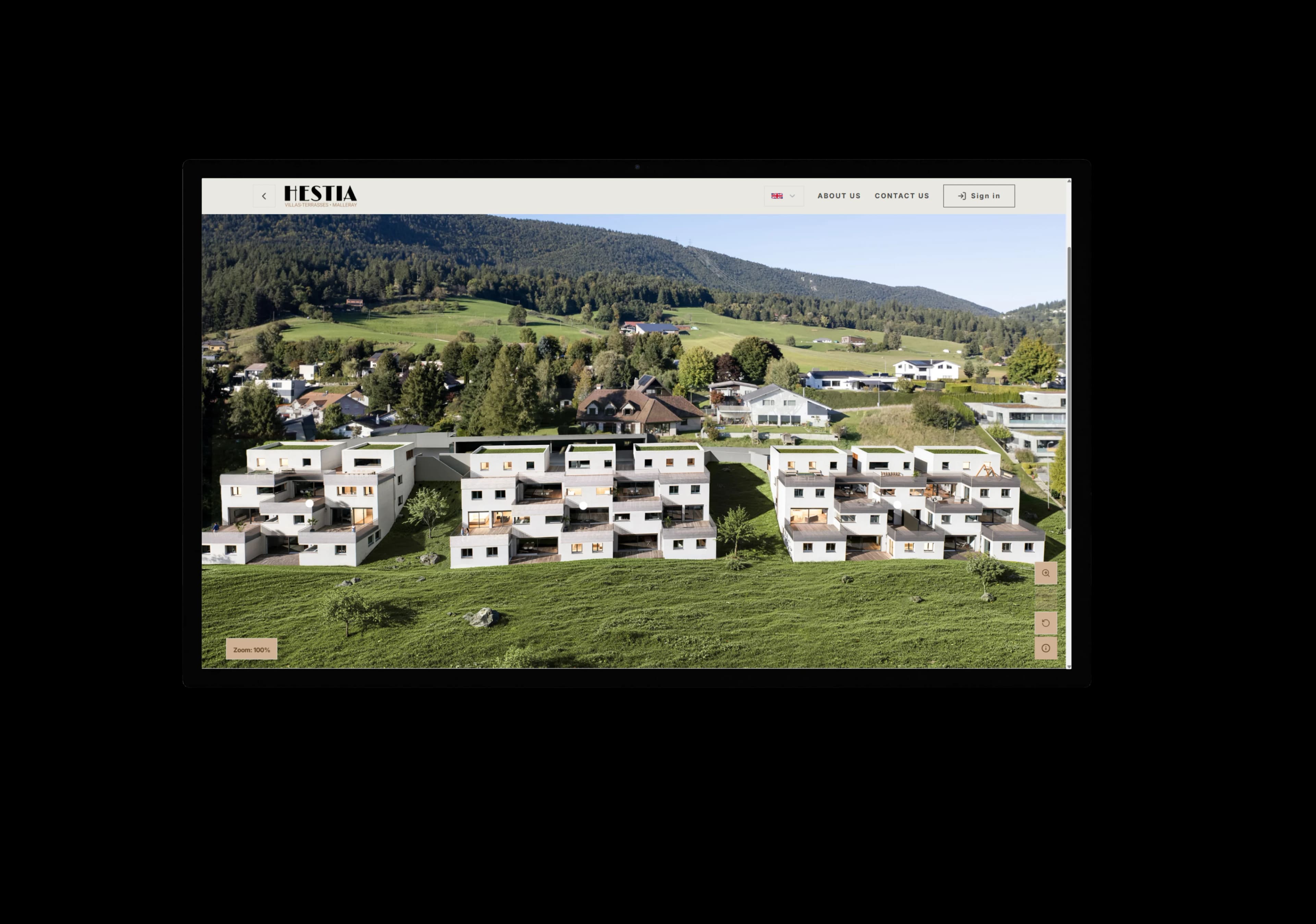
SALE — BERNESE JURA
21 terraced villas gathered in an interactive selector
The Hestia project allows buyers to explore villas, filter the offer, view plans and visuals, compare several properties and track availability.
See the Hestia project (opens a new tab)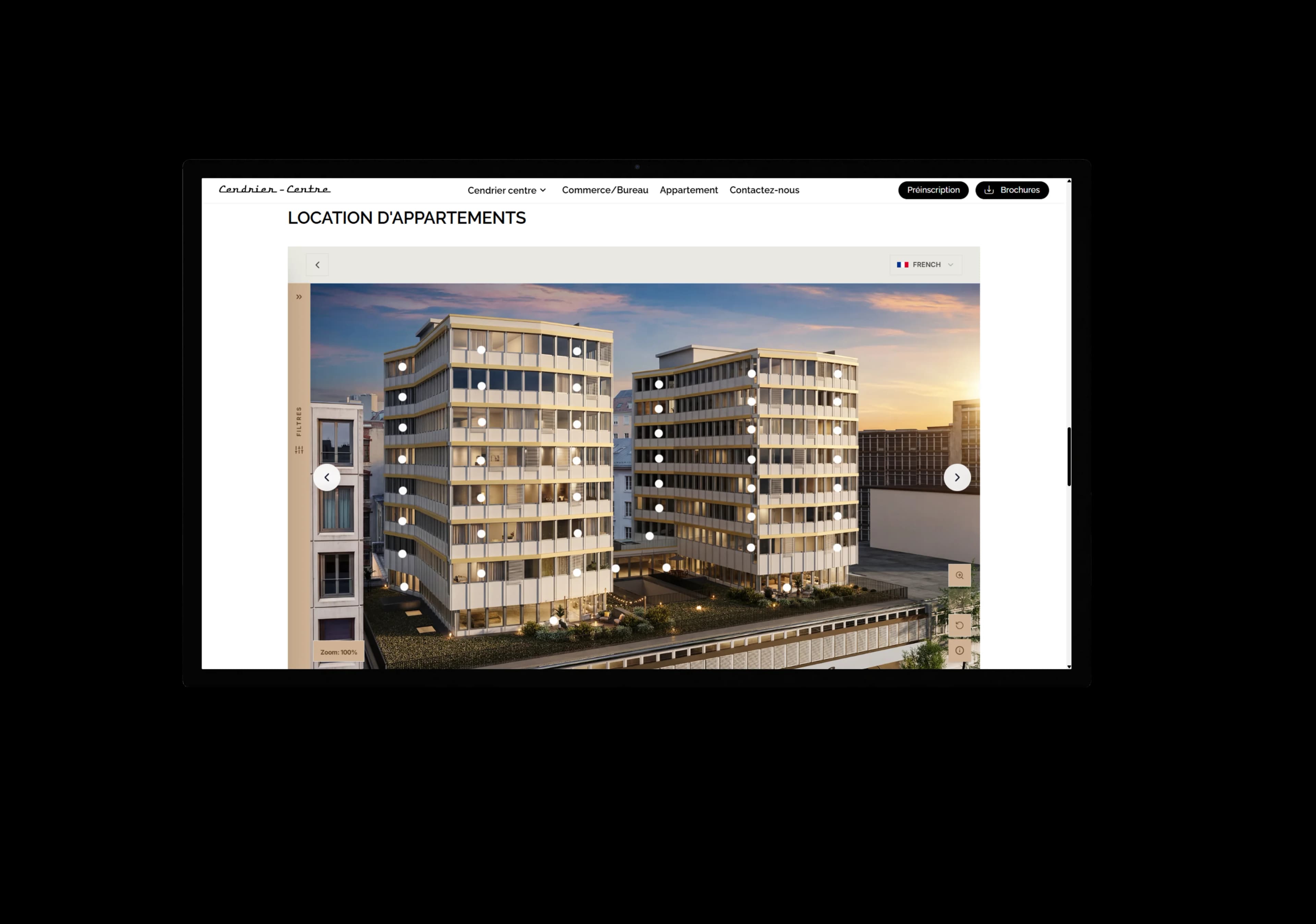
Rental — Geneva
75 apartments for rent are featured on the project website.
Integrated into the official Cendrier Centre website, SelectSee makes it easy to search among 75 apartments, from studios to 6-room units. The project is developed by AXA Anlagestiftung and marketed by Comptoir Immobilier.
See the Ashtray project (opens a new tab)These projects show that the same platform can clearly present different typologies, scales and marketing methods, while maintaining a consistent experience for visitors and teams.
Discover our achievementsFrequently asked questions from real estate developers
DISCOVER SELECTSEE FOR YOUR OWN PROJECT
Show us your project. We’ll show you what SelectSee can bring to it.
Let us know the type of development, the number of units, and the content already available. We will prepare a demonstration tailored to your specific situation, your prospects, and your sales approach.
By submitting this form, you agree that SelectSee will use the submitted information to respond to your request. Consult our privacy policy.