SELECTSEE FOR PROPERTY MANAGEMENT AND ADMINISTRATION
Simplify the marketing of your rental properties
SelectSee brings together apartments, rents, availability, plans, visuals and documents in an interactive selector that facilitates the search for future tenants and the work of your teams.
A demonstration tailored to your portfolio or your next project, with no obligation.
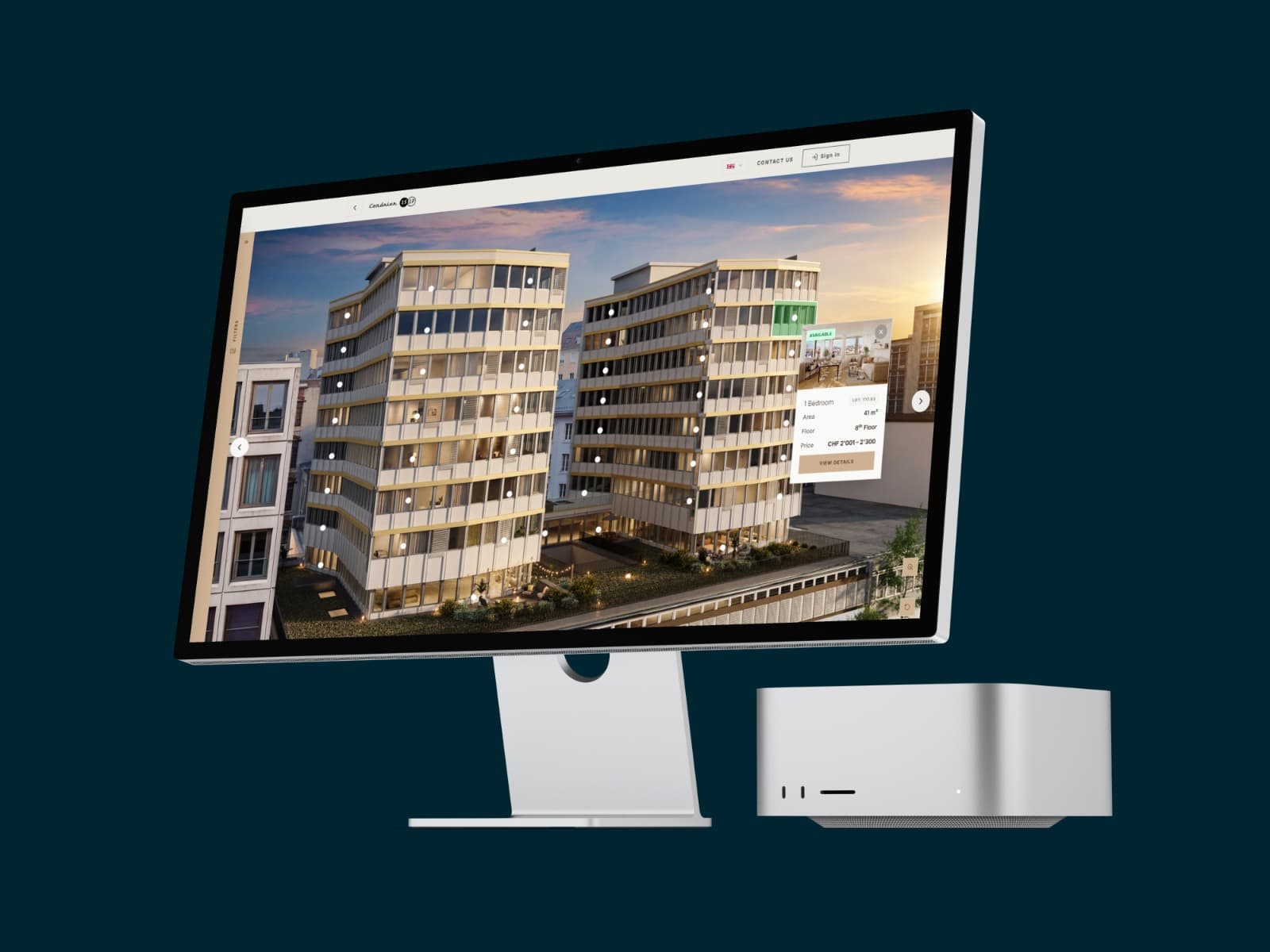
SelectSee is a Swiss real estate marketing platform and interactive housing selector for property managers, agencies, and institutional owners. It allows users to present apartments for rent, filter availability, view detailed listings, compare multiple properties, and send contact requests related to the viewed unit. Teams can centralize prices, status, floor plans, visuals, and documents, and then track interest in different properties using aggregated statistics.
A clear rental offer, even when availability changes
When a project involves multiple housing units, teams must update statuses, answer the same questions, and guide each applicant through several floor plans and layouts. SelectSee transforms this complexity into a single, user-friendly process, accessible on computers, tablets, and mobile devices.
Scattered information
Rents, plans, areas, availability and documents are sometimes spread across several pages or files.
Statutes that change
A reservation or a change in availability is reflected quickly to maintain consistent information.
Difficult research
Without suitable filters, prospective tenants struggle to identify accommodations that match their criteria.
Little visibility on the interest
A downloaded brochure does not show which accommodations, typologies or plans actually attracted attention.
FROM THE FIRST FILTER TO THE CONTACT REQUEST
Help each visitor find the accommodation that suits them
Discover the offer
The visitor views the buildings, floors or list of accommodations and immediately understands the availability.
Filter apartments
He refines his search according to the number of rooms, rent, surface area, floor or criteria defined for the project.
Compare and save
He compares several properties and saves his favorites to easily find his selection again.
View details
Each listing can include a plan, images, a virtual tour, documents, surface areas, rent, and practical information.
Contact the team
The request is sent from the property being viewed in order to maintain a clear context for the rental team.
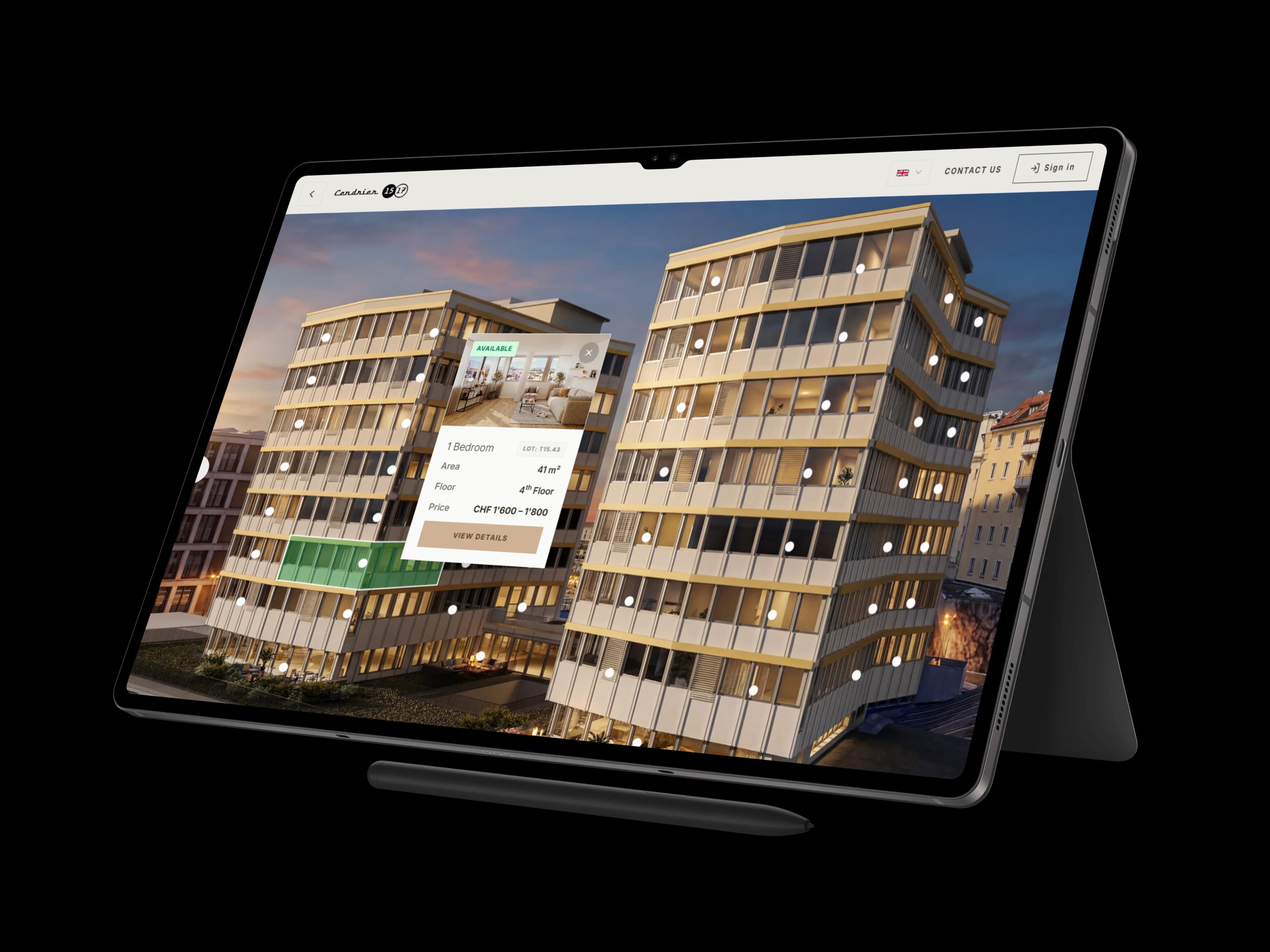
A better experience for candidates. A clearer tool for your teams.
FOR FUTURE TENANTS
An overview of the offer, useful filters, complete fact sheets, a comparator and favorites accessible from a single link.
FOR RENTAL TEAMS
A central point for statuses, prices, content, and documents, with contact requests linked to the viewed properties.
FOR MANAGEMENT
Aggregated statistics to identify the housing and typologies that generate the most interest.
FOR COMMUNICATION
An interface consistent with the project's identity, integrable into the existing site or available in a complete site.
Essential tools for rental marketing
Site plan and navigation by building
Present the project organization, buildings, floors and available housing in a visual manner.
Filters tailored to your offer
Allow searching by room, rent, area, floor and other criteria useful to the project.
Complete property descriptions
Gather together plans, areas, rents, visuals, virtual tours, documents and practical information
Comparison tool and favorites
Help visitors distinguish between several accommodations and keep a selection.
Prices and availability easily updatable
Centralize business data to maintain consistent information.
Consultation statistics
Observe the interest in housing, layouts and features based on aggregated data.
Contextualized requests
Receive a request associated with the property viewed and the information provided by the visitor.
Multilingual presentation
Offer the project in several languages depending on the audience and marketing needs.
A REAL RENTAL PROJECT IN GENEVA
Ashtray Center: 75 apartments presented with SelectSee
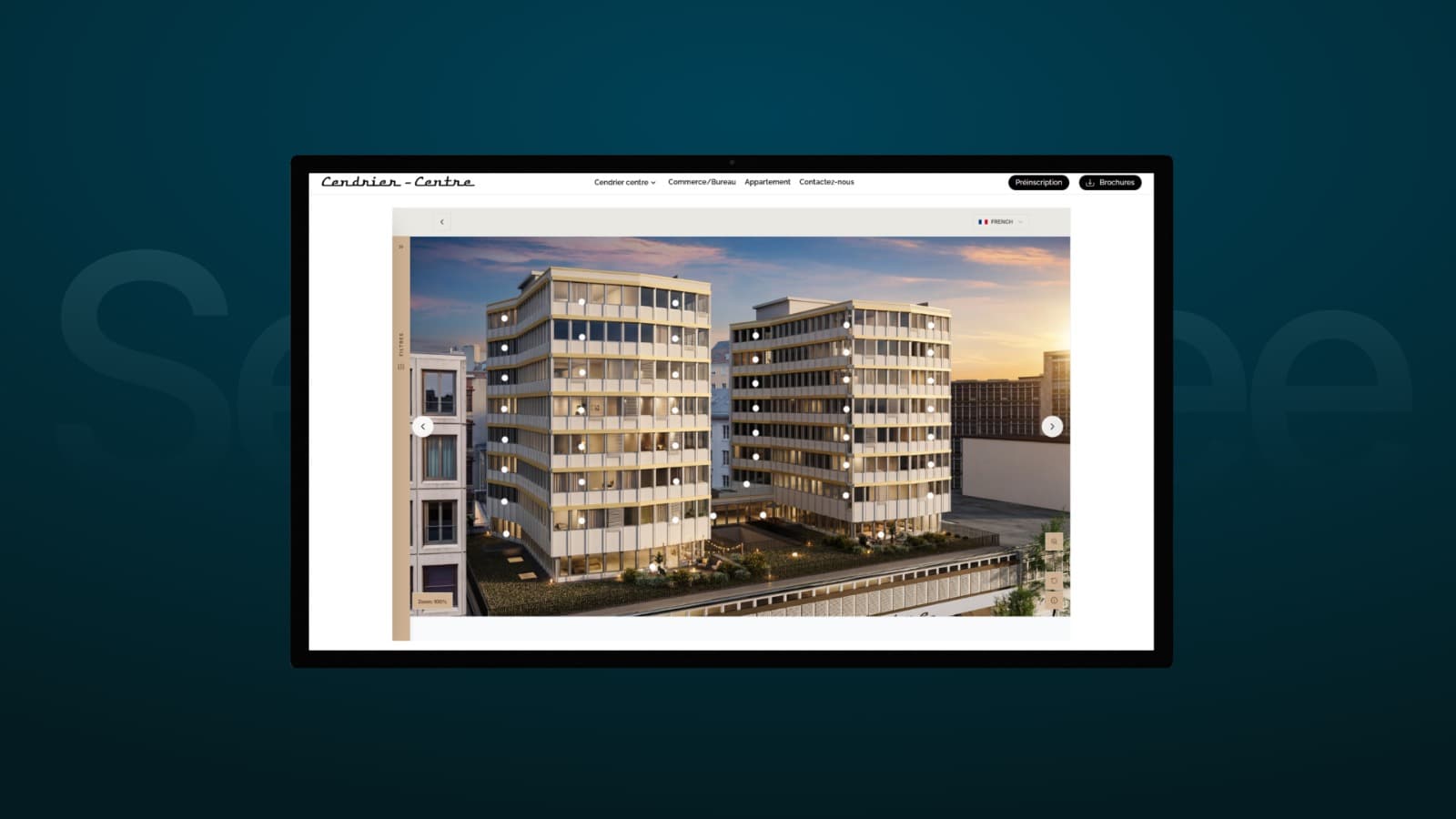
In the heart of Geneva, Cendrier Centre offers 75 apartments for rent, ranging from studios to six-room units. The project is developed by AXA Anlagestiftung and its marketing is handled by Comptoir Immobilier. Integrated directly into the project website, SelectSee allows visitors to filter apartments, view detailed listings, compare multiple units, and track availability, all from a single interface.
Counter
UNDERSTANDING THE INTEREST IN THE OFFER
Statistics useful for marketing
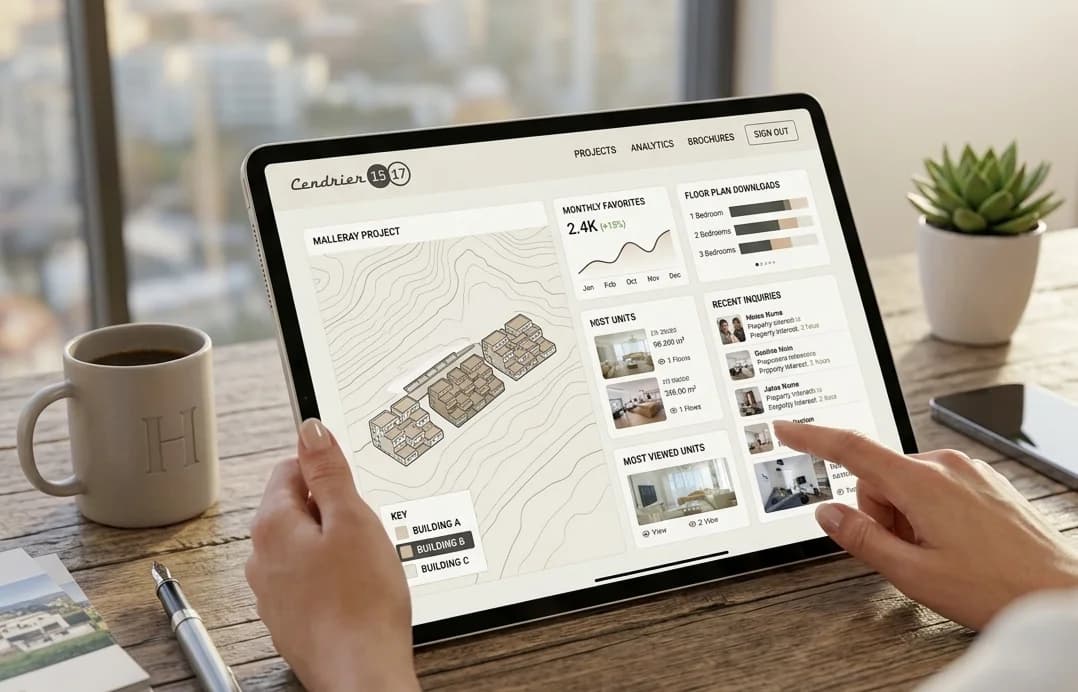
The dashboard provides aggregated metrics on most viewed properties, comparisons, favorites, downloaded floor plans, and browsing history. This information complements team feedback and helps identify property types that attract attention, without automatically guaranteeing qualification or conversion of the visitor.
SelectSee integrates with your organization
Integration with the existing site
Add SelectSee to a page on your site to preserve your brand identity and current user journey.
Complete promotional website
Bring together presentation pages, gallery, selector, fact sheets, documents and forms in a site dedicated to the project.
Centralized update
Update business data from a management area, according to the rights assigned to your team.
Content support
Plans, 3D images, virtual tours, photographs and videos can be integrated according to the available elements and the agreed scope.
A structured implementation based around your project
Framing
We define the number of accommodations, the data, the languages, the content, and the integration method.
Preparation
Your plans, prices, statuses, texts, visuals and documents are organized to populate the platform.
Configuration
SelectSee is tailored to the project's identity and structure, and then controlled on computer, tablet, and mobile.
Online posting and monitoring
After validation, the selector is published and teams can update the information and view the available statistics.
The timeline depends on the number of housing units, the quality of the data, the content to be produced, the languages involved, and the method of integration.
Frequently Asked Questions
YOUR PROJECT DESERVES A CONCRETE DEMONSTRATION
See how SelectSee would present your rental listing
Tell us about your project, the number of units, and your marketing strategy. We will show you how to structure searches, property sheets, availability, and tracking in a demonstration tailored to your needs.
By submitting this form, you agree that SelectSee will use the submitted information to respond to your request. Consult our privacy policy.